IBE7 Week 4 · 21 May 2026 · Gen AI Vibe Code (Concept + Prototype)
AI in the Scale ERA
From a single prompt to an enterprise workflow — how SMEs use Claude to compress months of operational work into minutes, then scale that into governed, auditable, multi-team systems. Today we ground the "Vibe Coding" mindset in Session A, then build a working Application with Claude in Session B.
Session A
Concept · 45 min
Session B
Prototype · 1h 45m
Audience
SME owners + tech staff
Outcome
A working prototype
IBE7 · Future SME Intelligence · NIA × SCB SME · Facilitator notes appear in italics · Sample data: ./sample_data/
Today's Map · IBE7 Week 4 · 21 May 2026
What we'll cover today
Two sessions — Session A grounds the "Vibe Coding" mindset (45 min); Session B then builds a working Application with Claude (1h 45m). Parts 3-4 stay in the deck as reference material — yours to revisit and build on after the workshop.
Pick your language on the splash · keep a tab open to follow along and copy prompts in Session B.
14:15 – 15:00 · 45 min
Session A — Concept
Intro · AI in the Scale ERA
Vibe Coding 101 — Andrej Karpathy's 2025 concept
Claude Wrap-Up — what's new and actually useful
BPMN — the shared language for automation
15:15 – 17:00 · 1h 45m
Session B — Prototype Workshop
Demo #1 — Beginner · extract and label customer feedback
Demo #2 — Intermediate · a real-world BPMN process
Demo #3 — Advanced · build a working Mini-App with Claude
Reference
Part 3 — Scale
AI Harness — the agent scaffolding
MiniApp → Enterprise
SME → PCL maturity ladder
ESG & Reporting (tied to Week 4)
Take home
Part 4 — Take it home
Durable vs Disposable — what's worth investing in
Starter Pack — your Monday-morning checklist
FAQ — security, cost, governance, rollout
Facilitator: during the break (15:00–15:15), keep Claude.ai open with sample_data/ preloaded · ask participants to ready their laptops for Session B.
Session A · The concept defining this era
What is Vibe Coding — and why we're talking about it in 2026
A term coined by Andrej Karpathy (former Director of AI at Tesla, OpenAI co-founder) in February 2025 — describe intent in plain language, let AI generate the code, then iterate by feel rather than reading line by line.
"I fully give in to the vibes, embrace exponentials, and forget that the code even exists."
— Andrej Karpathy, Feb 2025
Three traits of Vibe Coding
01
Intent-first
Describe the problem and the result you want — not the implementation. "I want an app that does X" rather than "write a for-loop that…"
02
Iterate by feel
Run it. If something's off, refine the prompt and try again — you don't debug the code, you debug the description.
03
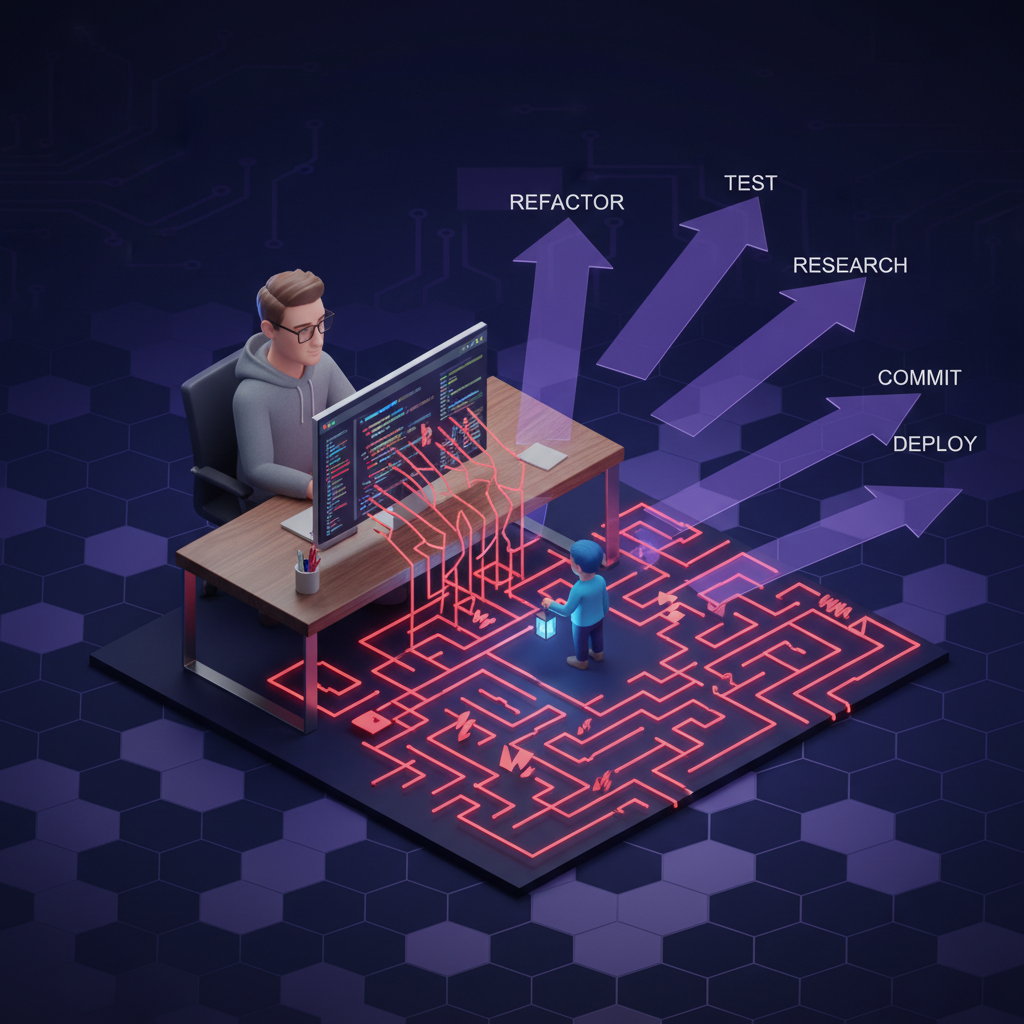
AI is the developer · you're the PM
Roles flip — you judge "right or not yet"; Claude writes, runs, tests, and fixes. It's like briefing a senior developer on requirements.
Vibe Coding sits inside "AI Engineering" — a new discipline, not classic ML Engineering
Chip Huyen's AI Engineering (2025) lays out three core differences from classic ML Engineering — and these are the reasons Vibe Coding is a real discipline, not just a meme.
01
Adapt, don't train
You don't train your own model — you use one Anthropic, OpenAI, etc. already trained. The work shifts from "training" to "adaptation" (prompt → RAG → finetune).
02
Bigger model, heavier compute
Foundation models consume more compute and run with higher latency than classic ML · inference optimisation (caching, batching, model selection) matters from day one.
03
Open-ended output → eval is hard
Classic ML answers "yes/no" — easy to check. Foundation models produce open-ended text — no single ground truth — making evaluation the biggest new problem in AI Engineering.
The flipped workflow — and why Vibe Coding is fast
ML Engineering (classic)
Data → Model → Product
Gather data → train model → ship product · months before users see anything.
AI Engineering (Vibe Coding)
Product → Data → Model
Build the product first → gather data from real usage → invest in data and models only after the product shows traction.
"The new AI engineering workflow rewards those who can iterate fast." — Shawn Wang, 2023 · this is why all 3 demos today start from Product.
Where it fits — and where it doesn't
✓ Great for
Prototypes & MVPs
Internal tools
Demos / proof-of-concept
Automation scripts
Data exploration / prompt experiments
△ Needs review before production
Systems holding sensitive data (PII, financial)
Auth / payment / billing
Anything needing an audit trail
Regulated industries
Key Takeaway
Vibe Coding isn't "stop writing code" — it's "move the line of what counts as code." Two-week tasks become two-hour tasks. Work that used to require a developer becomes work the business owner can do. Session A unpacks what shifted; Session B has us build it for real.
Facilitator: ask the room — "in your work, what tasks fall under 'Great for'?" Capture the answers — we'll come back to them in Session B.
Session A · The loop that actually works
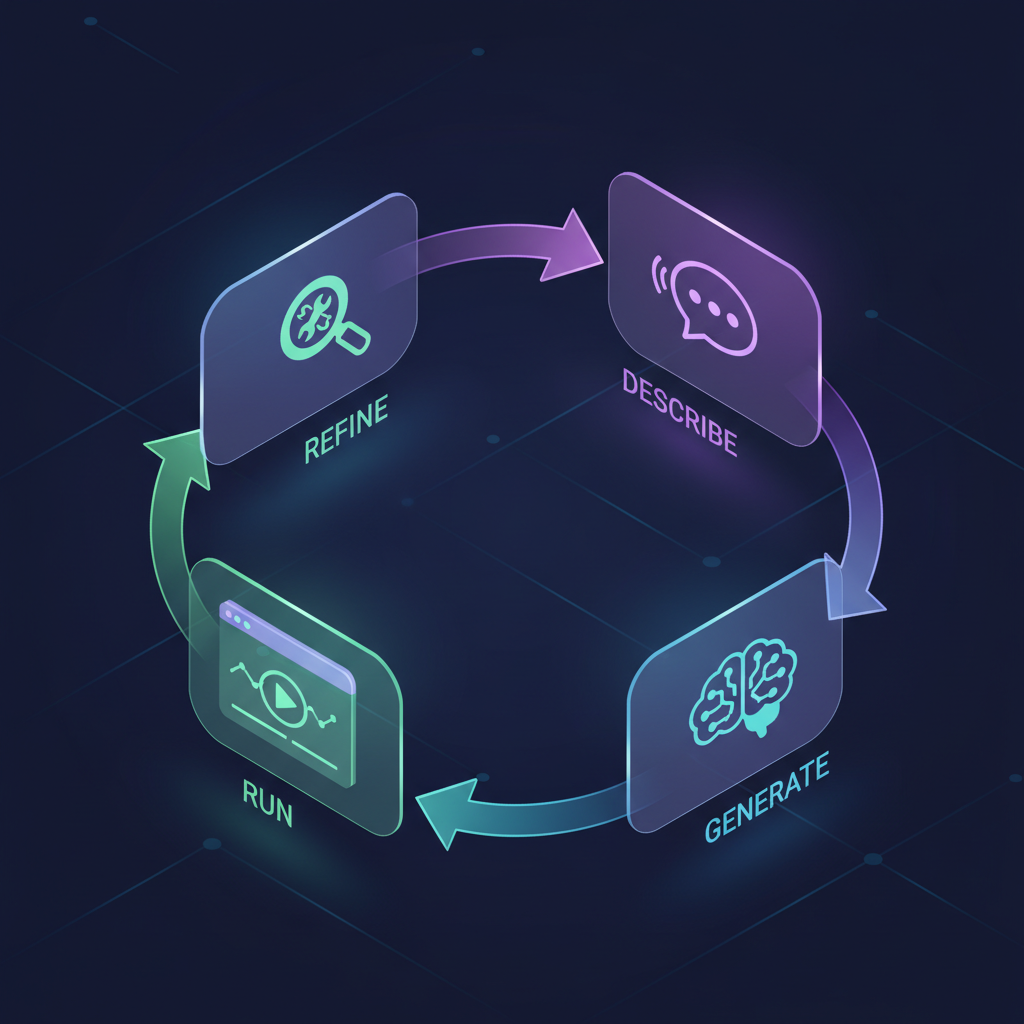
The 4-step Vibe Coding loop
The new loop replaces "write → debug → fix code" with "describe → AI generates → run → refine the description." It sounds simple, but the new skill is choosing words AI parses cleanly.
1. Describe
Provide context + intent + the output shape you want. Example: "I want a single-page web app that takes a CSV of customer feedback and classifies each row as positive/neutral/negative — display results as a table."
💡 Name the stack if you have constraints ("React + Tailwind", or "no database needed").
2. Generate
Claude writes full files. In Claude.ai → an Artifact previews instantly. In Claude Code → files land directly in your project. Don't read the code line by line — let it run first.
💡 If output runs long — ask for "only the changed section" or "diff format."
3. Run
Artifacts run in-browser; Claude Code runs in your terminal. Check 3 things: (1) does it work? (2) does the output look right? (3) any edge cases you can think of? Jot down what breaks right away.
💡 Don't fix it yourself yet — step 4 sends feedback back to the AI.
4. Refine
Instead of editing code, you edit the prompt. "Change this part to … instead." "If input is empty, do …" "Make it look more polished, more professional." Loop until you're happy with it.
💡 If 3 rounds don't improve it — start over with a more specific prompt (don't keep patching).
Real prompts at each step
Describe (round 1)
"Build a React app where users upload a CSV (columns: id, message, date). Show it as a table filterable by sentiment. Use Tailwind. No backend — browser-only."
Refine (rounds 2-3)
"Add a category dropdown filter. Put summary cards on top showing counts per sentiment. Switch to dark mode. If the CSV is malformed, show a clear error message."
Key Takeaway
Vibe Coding isn't "one perfect prompt" — it's "many small, fast loops." A single loop takes 30s–2 min. Ten loops = a working app in 20–30 min. The skill you train: spot the gap between what you got and what you wanted, then say it in a short, clear sentence.
Where Claude is in 2026
Claude Wrap-Up — what changed, what matters
Three significant shifts in day-to-day work. Beyond feature lists —
these are the changes that unlock new use cases.
Shift 1
From chat to agent
Claude no longer simply answers — it plans, calls tools, iterates, and verifies
independently. The unit of work has shifted from "a reply" to "a completed
task."
Shift 2
From prompt to skill
Repeatable expertise is packaged as
Skills, Plugins, and MCPs. Build once, reuse
across the organisation — well-crafted prompts become
institutional assets.
Shift 3
From sandbox to system
Integrated with files, calendar, CRM, and ERP via
MCP connectors. AI moves from an auxiliary tool
to an embedded component of core operations.
The three capabilities to internalise today
Capability
What it is
Where you'll use it
Skills
Packaged instructions Claude loads on demand (e.g.,
docx, xlsx,
finance:reconciliation)
Recurring tasks with a fixed shape
MCP Connectors
Open standard that lets Claude read and write data in the tools you already use (Drive, GitHub, ERP, …)
Anywhere data lives outside the chat
Sub-agents / Plans
Multi-step work with hand-offs, parallelism, verification
Anything bigger than a single prompt
MCP in 2026 — ecosystem at a glance
17K+
servers indexed across public registries (Q1 2026)
9.4K
active servers — growing +18% MoM through Q1
78%
of enterprise AI teams run at least one MCP agent in production (Apr 2026)
v1.27
adds OAuth 2.1 + Gateways + audit — Stage 4 governance is here
Available MCP servers today: Salesforce · HubSpot · Confluence · Notion · SharePoint · Jira · ServiceNow · Drive · GitHub · Slack · PostgreSQL · Stripe · Figma · 200+ from the community
6 reusable prompt patterns
The industry consolidated on a
"prompt pattern library" in 2026 — keep these
handy and reuse them everywhere instead of writing prompts from
scratch each time.
1
Chain-of-thought
"Think step-by-step, then answer" — meaningfully better accuracy on multi-step reasoning tasks.
2
Few-shot examples
Show 2–3 input/output pairs in the prompt — Claude learns the desired pattern instantly.
3
Output schema
"Reply in JSON matching this schema: …" — guarantees machine-parseable output.
4
Role framing
"You are a senior auditor reviewing…" — shifts register and rigor of the answer immediately.
5
Self-critique loop
"Draft → critique → improve" — now native in Opus 4.7, still useful for Sonnet/Haiku.
6
Negative constraints
"Don't do X" sometimes works better than "Do Y" — especially for preventing known failure modes.
Today's three demos already use patterns 1, 2, and 3 ·
pattern 5 shows up in AI Harness ·
pattern 4 appears in the ESG Demo.
3 ways to adapt a foundation model
When prompting alone isn't enough — every AI engineer climbs this three-rung ladder in order ·
cheaper rungs use less data; deeper rungs use more, cost more, and take longer · the rule:
always try the cheapest rung first(per Chip Huyen, AI Engineering, 2025)
Rung 1 · Start here
Prompt Engineering
Shape the model's behavior without touching weights — instructions plus context are
enough for most use cases · 0–10 examples · iterate in minutes.
All three demos today live on this rung.
Rung 2 · Add knowledge
RAG (Retrieval-Augmented Generation)
Connect Claude to your own knowledge base — fetch relevant chunks into the prompt on every call ·
ideal for internal docs, policies, FAQs the model has never seen.
Demo #2 (policy markdown) is the simplest version of RAG.
Rung 3 · Last resort
Finetuning
Continue training on your own data — changes model weights · hundreds to tens of
thousands of examples · improves long-term latency and cost, but takes real time and resources.
Consider only after prompt + RAG can't reach your quality bar.
Key principle: always start with prompt engineering — it's fast, cheap, and lets you experiment across many models, raising your odds of finding one that's unexpectedly good for your task. Move to the next rung only when prompting has proven itself insufficient.
5 failure modes — and how to recover
All today's demos show the happy path. In production you'll hit
these failure modes — what separates teams that ship reliably from teams that complain Claude is "unreliable" is
knowing the patterns and having the recovery prompts ready.
01
Refusal
Symptom: "I can't help with that…" · Cause: ambiguous or risk-flavoured request · Fix: add business context — "I'm a compliance manager at X reviewing…"
02
Hallucination
Symptom: numbers/names/dates not in the source · Cause: no grounding · Fix: "answer only from attached docs · if missing, say 'not specified'"
03
Schema break
Symptom: output isn't valid JSON · Cause: schema under-specified · Fix: give the full JSON schema + "if any field is uncertain, set null · do not fabricate"
04
Length drift
Symptom: too long or too short · Cause: scope under-specified · Fix: "5 bullets, each ≤ 20 words" · if over-limit, chunk input first
05
Tone drift
Symptom: casual voice in formal context · Cause: no role framing · Fix: "You are a SOX auditor · write as it would appear in the annual report"
Recovery
Retry-with-correction
When the output is wrong, do not re-run the same prompt. Send back: "That output had [X] problem · re-do, ensuring [Y]" — Claude fixes the specific issue instead of guessing what to change.
Model picker + monthly cost (May 2026)
The first question your CFO asks: "What will Claude cost us per
month?" — straight answer keyed to use case.
Model
Speed
Price / M tokens
Best for
Matching demo
Haiku 4.5
Fastest
$1 in / $5 out
High volume, well-structured · classification, triage, simple extract
Demo #1 (feedback categorisation)
Sonnet 4.6
Balanced
$3 in / $15 out
General workflows · reasoning + tool use + multi-step
Long system prompts + reusable reference docs — cached for 5 min · cache-hit input tokens cost only 10% of normal · essential for any skill that runs frequently
−50%
Batch API
Anything that doesn't need real-time (reports · scheduled briefs · content batches) — send via batch API · half price · results within 24h
Example: a 10-person SME running a Demo-#1-style skill 200×/day × 30 days = 6,000 runs × ~5K tokens ≈ 30M tokens/month · Haiku raw: $30/mo · with caching on: $5-10/mo · payback usually after the first automated process.
Key Takeaway
The unit of AI work is shifting from
"one answer" to
"one completed task" — so the prompts you reuse
become skills your whole team can run.
Quick CheckSkill, MCP Connector, and
Sub-agent — what's the difference, and when do you reach for each?
Skill = a reusable pattern packaged for the whole
org ·
MCP = a standard channel that lets AI
read/write data in tools you already use · Sub-agent = breaking a big job into parallel
sub-tasks — reach for Skill when work repeats · MCP when data
lives outside chat · Sub-agent when the job is bigger than one
prompt.
Business Process Management Notation
BPMN — the shared language for automation
Before automating, draw the process. BPMN is a lightweight notation
that enables SMEs and technical staff to discuss the same workflow
without ambiguity.
The four essential symbols
● Event
An occurrence — a form is submitted, an email arrives, or a
timer fires.
▭ Task
Work performed — by a person, by Claude, or by a system.
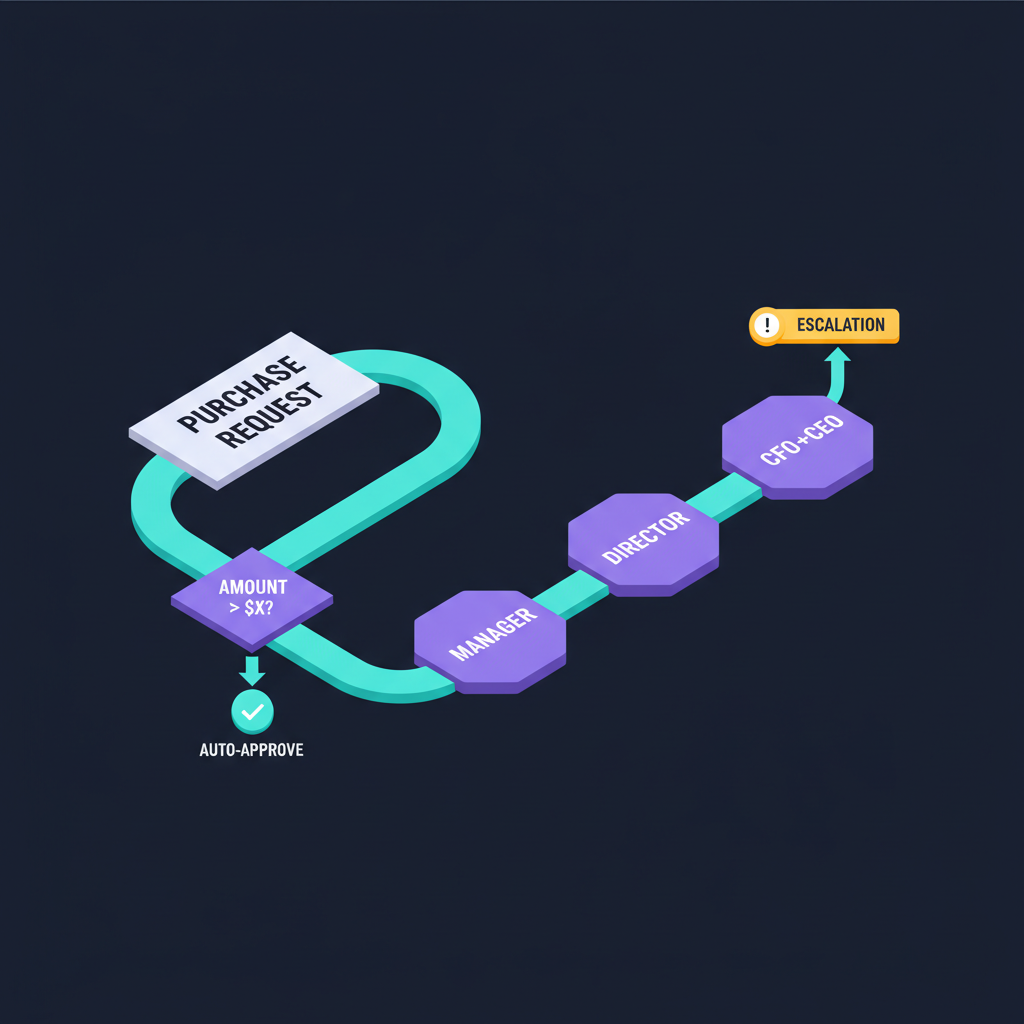
◇ Gateway
A decision point — "if the amount exceeds 5K, route to the Finance Director."
→ Flow
Direction of work — defining who passes what to whom.
Example: a real BPMN flow we'll use in Demo #2
PR Submitted
Validate Vendor
Route to Approver
Notify Requester
PO Issued
Gateway routes by amount_usd: 1K auto · 1K–5K
Manager · 5K–15K Finance Dir · ≥15K CFO+CEO.
Why BPMN matters in the AI era
1. It scopes the prompt
Once the process is drawn, the boundary becomes clear: which
tasks Claude owns, and which remain with humans.
2. It surfaces the data
Every arrow represents a payload. Labelling the arrows
identifies exactly which CSV, document, or API call is required.
3. It becomes the audit trail
During audit, the BPMN diagram combined with Claude's run log
forms a complete compliance evidence package.
Why BPMN is a future-proof investment
BPMN has been
ISO/IEC 19510 since 2013 and in
serious use since 2004. AI models turn over every 6 months,
frameworks every year — but
the BPMN you draw today will still be readable in 2030. It's the common language business, tech, auditors, and whatever
AI comes next will all understand. See
Durable vs Disposable for the broader pattern.
Key Takeaway
Draw the BPMN before you write the prompt — your
process will outlive every AI model that comes next. Tools change;
the diagram doesn't.
Quick CheckIn the PR Approval example,
if you add a "vendor must be VAT-registered" policy, what BPMN
elements do you add?
One new Gateway after "Verify Vendor" — if not
VAT-registered, branch to a new
Task "Notify
Procurement to request docs." Only a Gateway and a Task are added;
the start and end Events stay the same. That's why BPMN is the
shared language — you extend conditions without redesigning the
whole system.
Session B · Choose your surface first
Which tool — for which kind of work
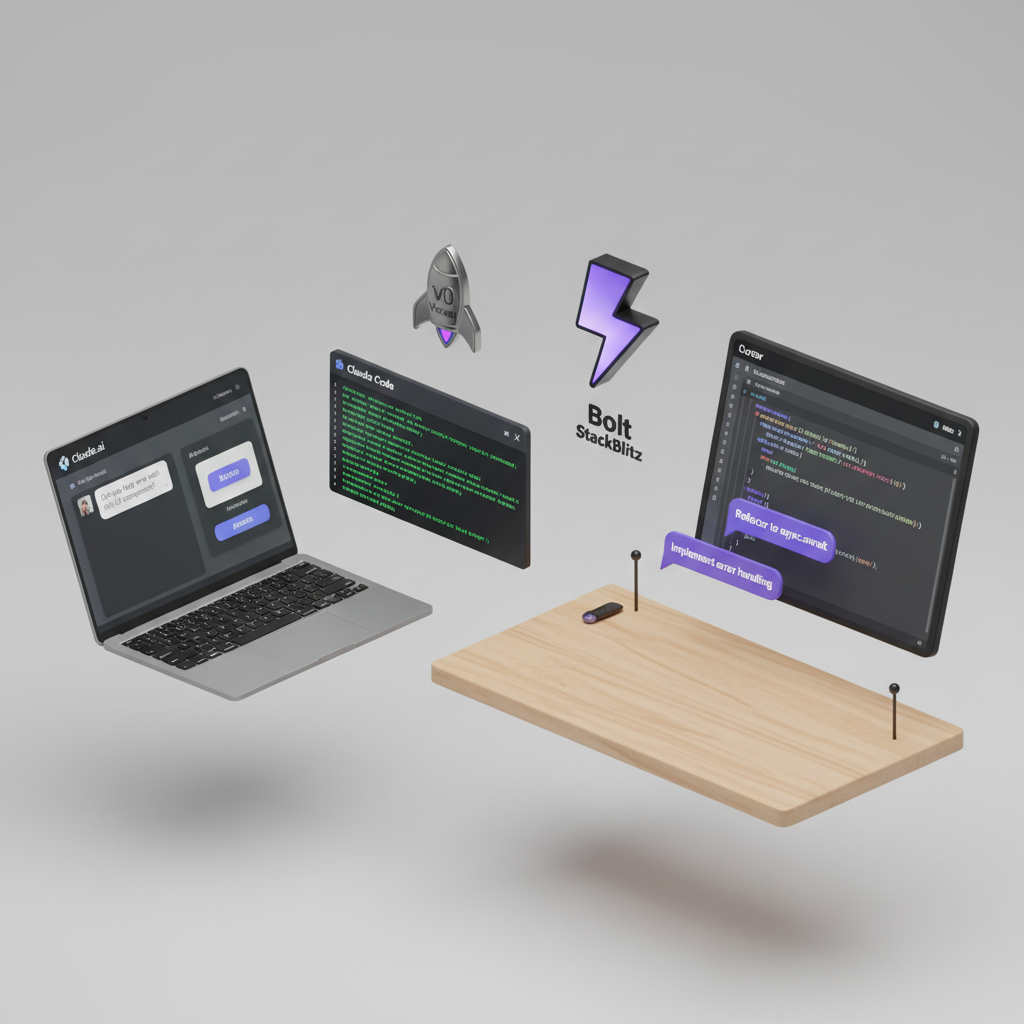
Vibe Coding isn't locked to one tool — each surface shines at something different. Quick rule of thumb: prototype in-browser → Artifacts; real files / repo → Claude Code; specific web framework → v0 / Bolt; IDE workflow → Cursor.
The two we use today
Primary
Claude.ai — Artifacts
Browser-based · zero install · type a prompt → Claude builds an Artifact (React / HTML / Python / SVG / ...) → live preview runs alongside chat · super-fast iteration · share via URL.
Best for
Single-page app prototypes
Stakeholder demos
Test an idea in 10 minutes
Data viz, small dashboards
Primary
Claude Code (CLI)
Terminal-based · works inside your folder/repo · Claude reads/writes real files, runs commands, integrates with git · best for existing codebases, not zero-to-one.
Best for
Modifying real codebases
Multi-file refactors
Automation + file processing
Integration with git, npm, build tools
Adjacent tools (so you know your options)
v0.dev Vercel
Specialised for Next.js + shadcn/ui · strong on polished UI · one-click deploy to Vercel · best for landing pages, marketing sites, and dashboards.
Bolt.new StackBlitz
Full-stack in-browser · Node + frontend in one place · clear file tree · best for MVPs that need backend logic.
Cursor IDE
A VS Code fork with AI baked in · best if you already live in an IDE · works on your local repo · Cmd+K rewrite plus side-panel chat.
Quick decision tree
If you want to...
Use
Because
Test an idea in 10 min — no project setup
Claude.ai Artifacts
Open a tab, type, see it run
Add a feature to an existing codebase
Claude Code
Reads/writes real files, knows your project context
Build a polished landing page, deploy to Vercel
v0.dev
Strong UI patterns + built-in deploy
Full-stack MVP with Node backend
Bolt.new
Frontend + backend in one browser
You live in an IDE, want AI right there
Cursor
VS Code muscle memory + native AI
Key Takeaway
Today we lead with Claude.ai Artifacts (Demos 1–3) — fast to open, zero install. If you already have a repo, try Claude Code in parallel. The adjacent tools are vocabulary you'll reach for later, when the fit is right.
Facilitator: before Demo 1, have everyone open claude.ai in a browser and log in. Pro/Team accounts generate faster; free tier works too but may queue during peak hours.
1
Beginner · ~20 min · Claude.ai Artifacts
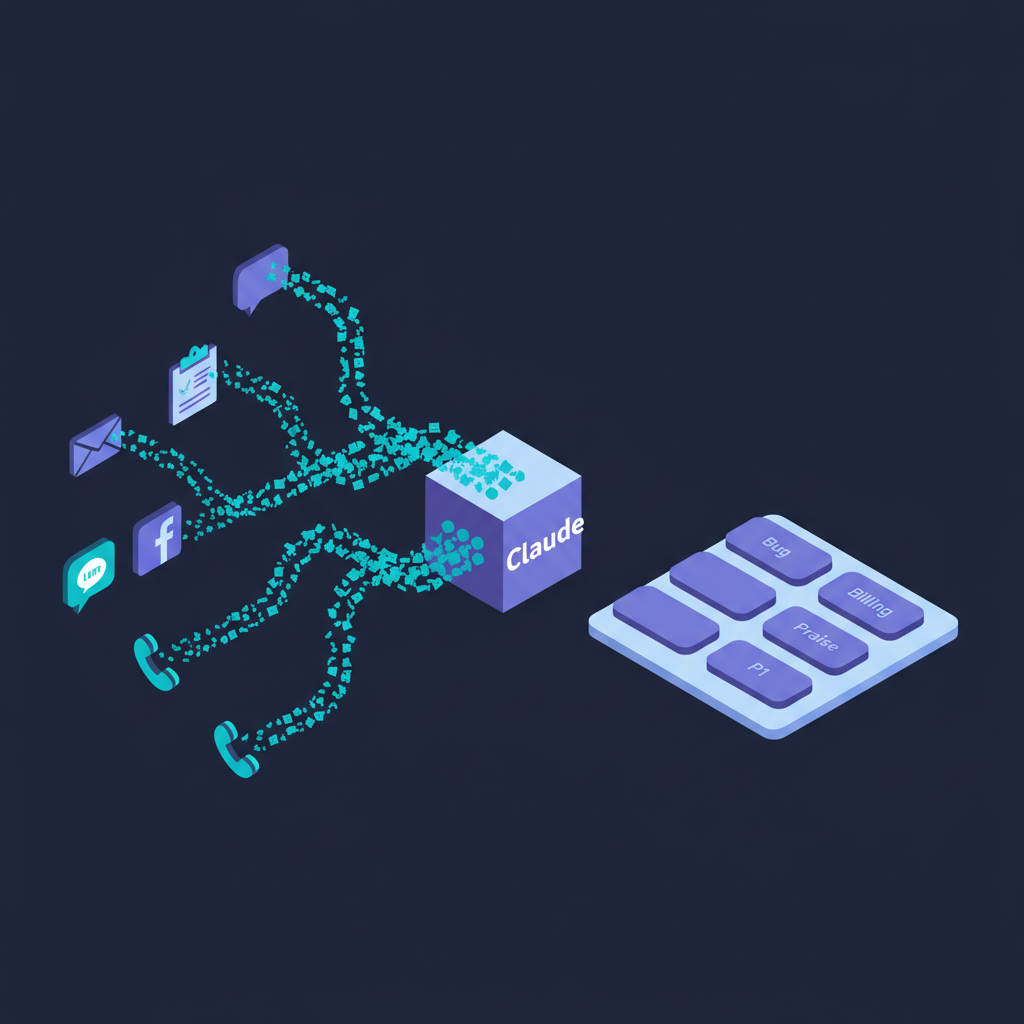
Build a Feedback Classifier App
Goal
Today we won't just prompt — we'll vibe-code a "single-page web app" where users upload a CSV of feedback and get back positive/neutral/negative classifications plus a summary. Goal: open Claude.ai → finish in 20 min → ship a real working app you can share.
Sample data
Use the sample file (60 messages) where the sentiment column is empty — our app will fill it in.
Open browser → claude.ai → start a new chat · type a prompt → an Artifact previews beside the chat instantly · fast iteration, zero setup.
Today's loop
Describe → Generate → Run → Refine · 3 rounds · ~5 min per round.
Round 1 — Describe (start)
Prompts in English for output precision
Prompt · Round 1
Build a single-page React app (use Tailwind, no backend) where I can paste
in CSV text with columns: id, message, date.

The app should:
1) Parse the CSV in-browser
2) For each row, classify sentiment as positive / neutral / negative
   (use a simple keyword + rule heuristic — Claude does NOT need to call
   an API for this demo)
3) Show results as a sortable table with columns: id, message (truncated),
   sentiment (color-coded badge), date
4) Show a summary card on top with counts per sentiment

Use clean spacing, IBM Plex Sans, a neutral palette + one accent color.
Round 2 — Refine (add filtering + polish)
Prompt · Round 2
Now add:
- A category dropdown to filter the table (categories: Bug, Billing, Praise,
  Feature Request, Question, UX, Performance — pick best fit per row)
- A search box that filters by message text
- Make it look like a Stripe / Linear product: more spacing, hover states,
  card shadows, micro-interactions on filter changes
Round 3 — Refine (export + edge cases)
Prompt · Round 3
Final round:
- Add an "Export labelled CSV" button that downloads the table as CSV
  with the original columns + sentiment + category
- If the pasted CSV is malformed, show a clear error message
  (not a crash)
- Add an empty-state when no CSV is pasted yet
What participants will have
A real working app
Live in a Claude.ai Artifact · paste a CSV → instant classification · filter and export included.
Shareable instantly
Artifacts come with share URLs — send to a colleague and they open it in their browser, no install required.
Loop in your hands
You've just seen 3 short loops build a small app · the skill transfers directly to any other task.
Key Takeaway
Demo 1 isn't "Claude classifies for me one time" — it's "I vibe-coded a classification app." The difference: the prompt produces an app other people can run, not a one-shot output that gets thrown away.
Quick Check Round 1 didn't tell Claude to call an "API" or "AI model" to classify — why?
Because Demo 1's goal is to demonstrate the vibe coding loop, not model accuracy. A keyword heuristic lets the app run instantly in any user's browser with no API key. In production, you'd add an API call later. The rule: simplify first, add complexity only when needed.
2
Intermediate · ~35 min · Claude.ai Artifacts
Build a PR Triage Dashboard
Goal
Demo 2 levels up — we build a "PR Triage Dashboard" a finance officer opens every morning. Upload the PR CSV + paste the policy (markdown) → get a table showing approver, SLA, flags + 3 email drafts. Edit the policy in the UI → the table updates instantly (no redeploy needed).
Build a single-page React app (Tailwind, no backend) — a "PR Triage
Dashboard" for finance officers.

Layout:
- Left panel: textarea where the user pastes the approval policy (markdown).
  Default-populate it with this:
  [paste 02_approval_policy.md contents here]
- Right panel: a file input that accepts a CSV of purchase requests
  (columns: pr_id, vendor_id, amount_usd, category, msa_on_file)

When a CSV is uploaded:
- Parse it in-browser
- For each row, compute approver + SLA + flags by READING the markdown
  policy from the left panel (do simple keyword + threshold parsing)
- Show results as a table: pr_id | amount | approver | sla_due | flags | rationale
- Show summary cards on top: total PRs, auto-approved, escalated, flagged

Style: clean dashboard look. IBM Plex Sans. Neutral palette + one accent.
Round 2 — Refine (vendor check + emails)
Prompt · Round 2
Add a third input: a vendor master CSV (columns: vendor_id, name,
tax_id_verified, risk_rating, preferred).

Update the triage logic:
- If tax_id_verified=No OR risk_rating=High → flag NEEDS_LEGAL
- If category=Professional Services and msa_on_file=No → flag NEEDS_MSA

For each PR, also generate 3 email drafts (collapsible per row):
1) to requester: status + next step
2) to approver: 1-paragraph context + ask
3) exception report to CFO (only for flagged rows)

Add an "expand all" / "collapse all" toggle.
Round 3 — Live policy edit
Prompt · Round 3
The key feature for the demo:
- Every keystroke in the policy textarea re-runs the triage and updates
  the table in real-time (debounce 300ms is fine)
- Show a small "policy version" indicator (count of edits since load)
- Add a "Reset to default policy" button

Then add a one-line "Why?" explanation in each rationale cell — pulled
from the matching line in the policy markdown.
Round 4 — Polish + export
Prompt · Round 4
Final round:
- "Export decision pack" button: downloads a zip with (a) decision CSV,
  (b) the 3 email drafts as .eml files, (c) the policy snapshot used
- Make it look like Linear / Notion: more whitespace, subtle shadows,
  rounded corners, smooth hover states on rows
- Handle empty/malformed CSVs with a clear error state
- Add a small "live" indicator pulsing when re-triage runs
Key insights
Compliance
Policy ≡ UI
The markdown in the textarea IS the system. Edit it → the behavior changes. Audit trail via the policy-version counter.
Exceptions
Humans see only judgment calls
The app auto-approves clear cases; humans review only the flagged exceptions.
Output
Exportable decision pack
Decision CSV + .eml emails + policy snapshot — all zipped, ready for audit and handover.
Key Takeaway
Demo 2 shows the "internal tool" power of vibe coding — what used to take a dev team 2–3 weeks now ships in 35 min on Claude.ai. Critically: business owners edit the policy themselves — no developer middleman. Ideal for rule-based, frequently-changing workflows.
Quick Check Why put the policy in the UI textarea, not hardcoded in the prompt?
Because "policy embedded in the prompt" is code — every change forces you to re-prompt Claude, and business owners can't do that themselves. "Policy in the UI" = anyone edits it, version is tracked, fully auditable. That's the key vibe-coding rule for internal tools: separate rules (high-churn) from code (low-churn).
3
Advanced · ~45 min
SME Operations Mini-App — agent in the loop
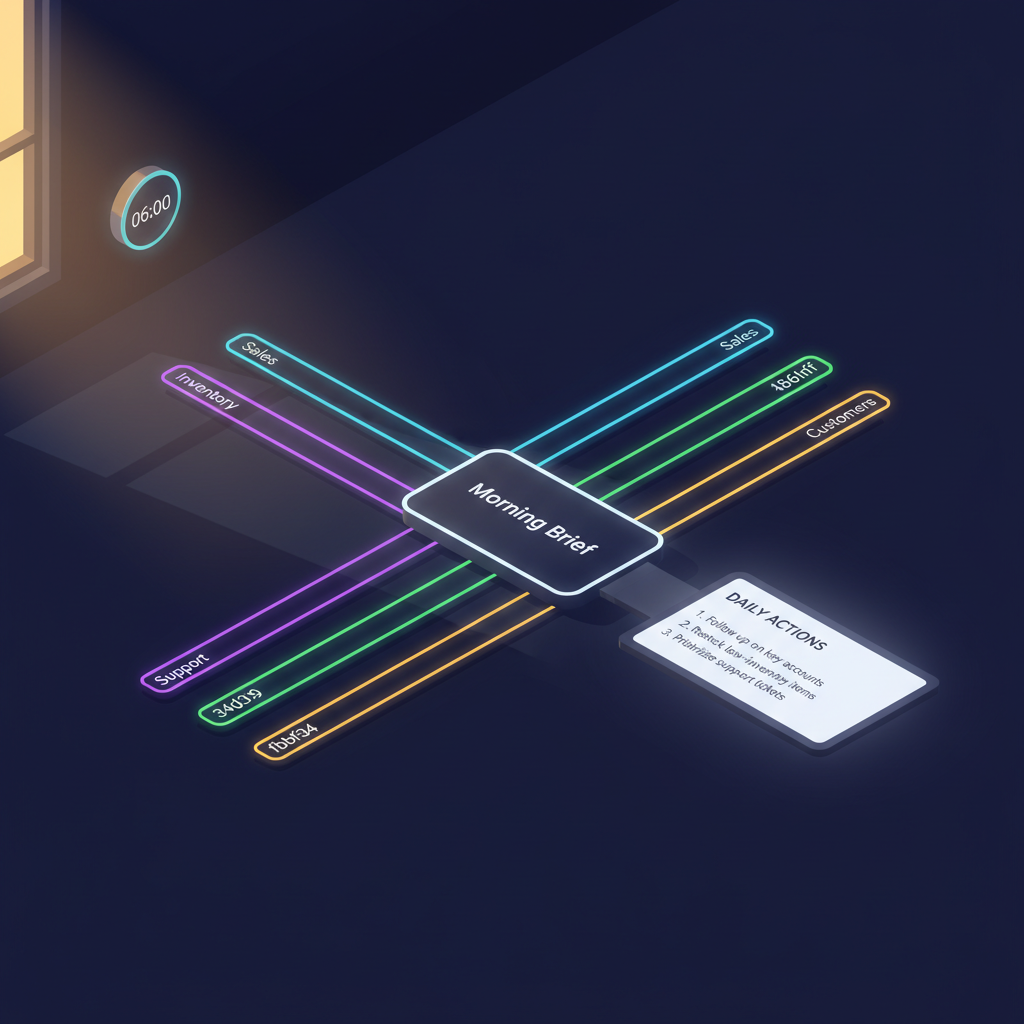
The scenario
Each morning, the executive reviews four areas: the previous
day's sales, low-stock items, the support queue, and key
customers requiring outreach. This workshop builds a
single-prompt Morning Briefing that
consolidates all four, prioritises actions, and drafts the
responses — a functional mini-app that any team member can run.
You are our morning ops agent. Run four checks in parallel against
the four CSVs in sample_data/ and produce ONE brief.

A. Sales — yesterday vs last 7d average. Flag any region or SKU
   moving  ±25%. Compute revenue, top SKU, slowest channel.
B. Inventory — list any SKU where on_hand_qty  reorder_point.
   For each, estimate days-to-stockout from last 7d velocity.
C. Support — list any ticket with priority=High AND age_hours  24,
   or any ticket with age_hours  72. Group by area.
D. Customers — surface any Gold/Platinum customer with open_tickets0.

Then write the brief:
- Top 3 actions for today (with owner + 1-line "why")
- Risks to watch this week
- 3 draft replies to the most overdue Support tickets

Tone: tight, founder-friendly, no fluff.
What qualifies this as advanced
Multi-tool
Reads 4 sources
Sales, stock, tickets, and customer master — synthesised into
insight, not merely aggregated.
Parallel
Sub-agents
Each check runs as an independent sub-task; the lead agent
composes the final output.
Productised
Schedulable
This prompt becomes a daily 06:00 scheduled task — the mini-app
is operational.
Key Takeaway
Your first mini-app is a prompt that orchestrates parallel sub-agents and merges their output into a single brief. Add a schedule and a delivery channel, and it becomes a service — not something you have to build from scratch.
Quick CheckA single agent reading all
four CSVs would also work. Why split into sub-agents?
Three reasons: (1) Context isolation — each sub
sees only what it needs, so they don't pollute each other's
context window (2) Parallel beats serial on
wall-clock time — four subs running together finish in the time of
the slowest one (3)
Focused prompts — changing
sub A doesn't risk B/C/D. This is the foundation of the harness
pattern.
Session B · Recovery patterns
6 common stuck-points — and the prompts that unstick them
Vibe Coding isn't always smooth — sometimes AI digs in, output goes wrong, or you loop without progress. Most stuck-points unblock by changing the prompt, not the tool. These six patterns cover ~80% of what you'll actually run into.
Stuck-point 1
Output looks right but isn't what you wanted
Symptom: prompt left gaps, AI guessed — sometimes right, sometimes not.
Recovery prompt:
"Show me 3 concrete input → output examples of what you're about to build. I'll confirm before you write any code."
Stuck-point 2
Output truncates or runs too long
Symptom: response cuts off mid-file, or Claude keeps asking you to "continue."
Recovery prompt:
"Show only the changed section in diff format. Don't rewrite the whole file."
Stuck-point 3
Fixing one bug creates another — infinite loop
Symptom: 4-5 rounds in, AI fixes one spot but breaks another.
Recovery prompt:
"Stop. Start fresh — rebuild this from scratch, knowing everything we've discussed. Write me the prompt you should have received from the start."
Stuck-point 4
Claude says "I can't do that" or asks for more info
Symptom: refusal based on perceived limits, or endless clarifying questions.
Recovery prompt:
"Take your best shot. Use sensible assumptions for anything unclear, and list those assumptions at the top. I'll correct them later if they're wrong."
Stuck-point 5
Output uses libraries/APIs that don't exist
Symptom: runs fail with "module not found" or calls to nonexistent functions.
Recovery prompt:
"Use only browser-standard APIs. If you need to install anything, name it + version + install command first. Error: <paste error>"
Stuck-point 6
App works but doesn't look polished
Symptom: UI looks like a skeleton — functional, but real users won't want to engage with it.
Recovery prompt:
"Make it look like a Stripe / Linear / Vercel product — more spacing, clearer typography, a neutral palette with one accent color. Add hover states and micro-interactions."
Meta-rule
If 3 rounds don't improve it → stop. Start fresh with a more specific prompt. Don't keep patching — the context window fills with bad attempts and quality degrades. Start a fresh chat and be explicit: "Starting over — I need ___ with these constraints: ___"
Key Takeaway
The real Vibe Coding skill is "notice you're stuck early, then change strategy" — not just "write better prompts." Keep these 6 patterns as a checklist you can use right now in this room. Jot them down before Demo time.
May 2026 · Year of the Harness
AI Harness — the scaffolding that turns a model into an agent
2025 was the year of agents; 2026 is the year of harnesses. The reason: 70% of agent performance lives outside the model itself. That performance resides in the harness — the scaffolding layer
surrounding the model that governs how it plans, invokes tools,
retains state, and recovers from error.
70%
of agent performance lives outside the model
65%
of enterprise AI failures trace to the
harness, not the model
80%
of agentic-AI time is data eng + governance
(McKinsey)
2–4hr
= minimum viable harness (20–50 lines of code)
Anatomy of a harness — 6 components
dashed line = harness boundary
1
Orchestration Loop
The "brain" — decides the next step, runs a task, comes back to
think again until done.
2
Tools
What it can actually do — read/write files, call APIs, run code,
browse the web.
3
Memory
What it remembers across turns — short-term in context,
long-term in files/DBs.
4
Context Management
What gets into the context window — compress, prune, summarise
before discarding.
5
State Persistence
Long jobs (hours/days) survive across sessions and pick up where
they left off.
6
Guardrails + Observability
Stops things going wrong + lets you see when they do — evals,
logs, kill switches, schema checks.
The 4 context strategies (LangChain · 2026)
The "Context Management" component above has now been formalized
into
4 industry-standard strategies — every harness
picks from these. What's interesting: today's three demos
already use all four of them, just without names attached.
Write
Persist externally
Keep context outside the window — file, database, or memory store · fetch back on demand.
Seen in Demo #2: the policy markdown file
Select
Retrieve relevant
Pull only the relevant slice via RAG / lookup · don't load everything into context.
Seen in ESG Demo: grid-factor lookup by region + year
Compress
Summarize
Condense long context before passing on · fewer tokens, better signal-to-noise.
Seen in Demo #3: lead agent merging sub-agent outputs
Isolate
Separate contexts
Give each sub-agent its own context window · they only see what they need.
Seen in Demo #3: sub-agents A/B/C/D each read their own CSV
The new pattern from Anthropic (Apr 2026) — Three-Agent Harness
Task
Planner
Generator
Evaluator
?
Done / Loop
Planner drafts the plan → Generator does the work →
Evaluator checks it. Fails the check? Loop back to
Planner. Designed for tasks that span hours or days.
The golden rule (Anthropic Engineering Blog · 2026)
"Every component in a harness encodes an assumption about what
the model can't do on its own
— as models improve, components should be removed. Scaffolding
that doesn't come down becomes technical debt."
Concrete example — Opus 4.7 (April 2026)
Anthropic shipped Claude Opus 4.7 with
native self-verification — the model checks its
own output before reporting back. The result: SWE-bench Verified
jumped from 80.8% →
87.6% in a single release.
This is the clearest signal yet that the
Evaluator role in the three-agent pattern is becoming
scaffolding to remove
— Generator + native verification is
now enough for many task classes. Remove the scaffold when the
model catches up.
Connecting back to Demo #3
The 4 sub-agents (A/B/C/D) plus the lead agent that orchestrates
them = your first harness . You already have an
orchestration loop, tools (CSV readers), memory (sub-task results),
and context management (the lead agent compresses). That's 4 of the
6 components — state persistence and guardrails come next, when you
actually need them.
Frameworks to know in 2026
Framework
Owner
Strength
Best for
Claude Agent SDK
Anthropic
Tool loop, sub-agents, MCP all built in
Starting from Claude — harness ready to go
Claude Managed Agentsbeta
Anthropic
Anthropic hosts the harness — no infra to run
SMEs with no platform team
LangGraph
LangChain
Graph-based, explicit control — 87% benchmark
Teams that need precise flow control
CrewAI
Open source
Role-based — 44K GitHub stars, 50% of F500 use it
Multi-agent with clear roles
OpenAI Agents SDK
OpenAI
Tightly paired with OpenAI models
Teams using GPT as primary
For SMEs — three steps to begin
Start at the smallest viable scale
2–4 hours · 20–50 lines of code — an orchestration loop plus 2-3
tools is sufficient.
Avoid adding every component up front.
Run 50 real tasks before extending
Defer adding persistence, observability, and guardrails until
actual failure modes emerge. Real failures earn their
corresponding fix.
Study in depth vs simply use —
durable vs disposable
Study in depth (durable):
the 6 components above are general distributed-systems patterns
that have existed for decades and will remain relevant in 2030,
regardless of whether Anthropic or OpenAI exist in their current
form. Be aware; use as needed (disposable):
the framework table — approximately half will be replaced within
18 months. Select one for the team; do not anchor to it; do not
onboard new hires against it.
Key Takeaway
70% of agent performance lives outside the model — start at 20–50 lines, add components
only when symptoms appear
, don't install all six up
front. Premature scaffolding becomes tech debt the moment models
improve.
Quick CheckWhich harness components
does Demo #3 already use? Which are missing?
Four of six : (1) Orchestration loop in the lead
agent (2) Tools — CSV reads (3) Memory — sub-agents return results
(4) Context management — the lead compresses.
Missing : State persistence (the run completes in
one shot) and Guardrails (no production risk yet). Add those when
you schedule it as a daily job — that's the "add by symptom" rule
in action.
The productisation arc
From a Mini-App to an Enterprise App
The same prompt — hardened across five stages. Most SMEs stop at
stage 2 and miss the compounding benefits available at higher
stages.
Stage
What it looks like
Who runs it
What's added
1 · Prompt
Copy-paste in chat
One person
Nothing — just words
2 · Skill
Saved as a reusable skill
Whole team
Instructions + sample inputs + outputs
3 · Mini-App
Skill + scheduled trigger + connectors
Multiple teams
MCP connectors, schedule, output channel
4 · Internal Service
Versioned, monitored, logged
Whole org
RBAC, audit log, eval suite, on-call
5 · Enterprise App
Customer-facing or board-reported
External users / regulators
SLA, compliance (SOC2/ISO), red-team, change mgmt
Each stage adds three dimensions
Boundaries
Who may run it, on which data, and within what limits.
Memory
What is retained across runs, and what must be discarded.
Observability
How you confirm it is working, and how quickly you detect when
it is not.
Crawl → Walk → Run — Microsoft's framing, mapped onto our 5 stages
Microsoft (2023) proposed Crawl-Walk-Run as a framework for gradually increasing AI automation in products — same idea as our 5-stage ladder, compressed into three beats that executives remember.
Crawl
Human in the loop is mandatory
AI suggests; a person decides and clicks send every time · maps to Stages 1–2 on our ladder.
Walk
AI interacts with internal users
AI talks to your own employees directly — with audit, eval, and rollback in place · maps to Stages 3–4.
Run
AI interacts with external users
AI talks to customers / regulators / the market directly — with SLAs and compliance in place · maps to Stage 5.
Why "start internal" — the real deployment data
The 2024 a16z Growth report surveyed enterprises experimenting with LLMs — the deploy-to-production rate is dramatically higher for internal-facing applications than external-facing ones · this is exactly why this deck steers SMEs toward Demo #2 (internal PR triage) before Demo #3.
62%
of enterprises deploy internal text summarization to production
60%
deploy internal enterprise knowledge management to production
39%
deploy customer-facing chatbots to production
39%
deploy external recommendation algorithms to production
Source: a16z Growth, The 2024 Enterprise Generative AI Report · internal-facing work carries less risk — AI mistakes land on employees, not customers · use this window to build AI-engineering muscle before going external.
The three dimensions added at each stage are three harness components growing in depth. Stage 1–2: an orchestration loop and tools are enough. Stage 4–5: a complete 6-component harness, with state, guardrails, and observability layered on.
Key Takeaway
The prompt stays the same across stages — what
thickens is Boundaries + Memory + Observability around it, not the
logic itself. That's how you move stages without rewriting code.
Quick CheckStage 3 (Mini-App) vs Stage
2 (Skill) — what's actually different from the user's perspective?
Stage 2: the user is your team, running it on
their own machine. Stage 3: multiple teams use
it, it runs on a schedule, and output flows to a channel
(email/Slack). In other words, Stage 3 has
a caller that isn't a human anymore — and that's the moment you have to start thinking about monitoring and error handling.
The maturity ladder
SME → PCL: the AI scale-up journey
Growing from a 5-person organisation to a Public Company Limited is
primarily about
processes — and Claude reduces the portion
of that journey that previously required additional headcount.
Stage 1 · Startup
Survive
Founder does everything. AI = personal productivity (draft
emails, summarise notes, write copy).
Stage 2 · SME
Standardise
Repeating tasks. Document SOPs as BPMN, automate with Claude
skills, save 1 FTE per process.
Audit logs, RBAC, evals, vendor risk, regulator-ready. AI is a
controlled function with owners and SLAs.
What you add at each rung
Dimension
SME
Mid-Market
PCL
Process docs
Tribal
BPMN library
Versioned + auditable
Identity
Shared logins
SSO
SSO + RBAC + JIT access
Data
Spreadsheets
ERP/CRM with MCP
Data warehouse + lineage
AI usage
Personal prompts
Shared skills
Governed services + evals
Risk
Founder judgement
Checklist
Formal risk register + DR
ESG disclosure
Informal
GRI-light · Scope 1-2
SET One Report + ISSB (full)
The principle
SMEs that build BPMN and Skills capability before scaling avoid the need to re-platform
later. The processes drawn today are the same ones governed at PCL
stage — with additional controls layered on as the organisation
matures.
Key Takeaway
SMEs that invest in BPMN + Skill at stage 2 don't
need to re-platform when they hit PCL — the same processes just
get more control layered on top, not a new stack.
Quick CheckIn the SME→PCL table,
"leaders decide from experience" becomes what at PCL — and why?
A "risk register + DR plan." Regulators and the
board need to see a
formal process, not personal judgment. If that
one leader leaves, the org must still decide the same way — that's
the whole point of governance: turn knowledge-in-heads into a
tangible process anyone can pick up.
Investor-readable · Regulator-defensible
ESG — AI accelerates the reporting; governance keeps the AI honest
As an organisation scales from SME to PCL, ESG reporting becomes
non-negotiable —
SET One Report 56-1, GRI, SASB,
TCFD, and ISSB all apply. Reporting cycles that previously consumed
weeks of finance and sustainability time can be compressed to days
using AI — while AI itself becomes a new surface area requiring its
own governance (energy, bias, accountability).
E · Environmental
Environmental disclosure
PCL requirement: Scope 1/2/3 emissions,
climate-related risk per TCFD
Where Claude helps: extract emission data from
invoices and utility bills, normalise units, draft the narrative
sections
Use case: quarterly Scope 2 calculation from
electricity bills — from 15 hours to 30 minutes
AI's own footprint: select smaller models (e.g. Haiku) for
low-stakes work — reduces both cost and carbon emissions
S · Social
Social disclosure
PCL requirement: human capital, diversity,
supplier code of conduct
Where Claude helps: synthesise employee survey
data, screen supplier attestations, draft DEI sections
Use case: process 1,000 supplier compliance
attestations in a day — compared to approximately 50/day
manually
AI's own social impact: bias auditing, output accessibility,
human-in-loop for decisions affecting individuals (hiring,
lending)
G · Governance
Governance
PCL requirement: board oversight of all
material risks (including AI risk), audit committee,
whistleblower channel
Where Claude helps: synthesise board reports,
draft policy documents, monitor compliance continuously
Use case: continuous monitoring of expense
policy violations — flagging on detection reduces detection time
from months to hours
AI's own governance: model cards, eval logs, RBAC — maps
directly to the 6 components of
AI Harness
2026 is the first year SET50 companies must formally
comply
with IFRS S1 + S2 — the Thai SEC published a
formal
"ISSB Roadmap" to phase in the regime,
shifting from "comply or explain" to
mandatory disclosure.
Transition reliefs:
climate-first reporting
(S2 before S1), Scope 3 deferred, and Scope 1+2 must pass limited assurance
under recognised international
standards. Non-SET50 firms remain on comply-or-explain for now —
but the regime will expand in subsequent years.
Mapped onto the maturity ladder
Stage 1-2 · SME
AI prepares the groundwork
Use AI to assemble initial ESG data, draft narrative content,
and understand the frameworks that will apply at higher stages.
Stage 3 · Mid-Market
AI runs continuous ESG
Connect to utility providers, HR systems, and supplier portals
via MCP — capture data continuously rather than collating it
quarterly.
Stage 4 · PCL
AI inside the governance loop
AI becomes a component of governance with a complete audit
trail, reporting directly to the board and regulators.
The key principle — future-proof
ESG frameworks change continuously (GRI 2021 → 2025, ISSB in
active transition), but
the ESG data and processes you build are durable. If emission data is captured in a structured form, it can be
re-formatted to whichever framework prevails. See
Durable vs Disposable for the broader principle.
Key Takeaway
AI turns ESG reporting from
"an exhausting once-a-year exercise" into
"a continuous quarterly cadence" — but AI itself
is a new governance object that needs the same discipline you
apply to anything else with risk.
Quick CheckScope 1, 2, 3 — what's the
difference, and where does AI have the highest early ROI?
Scope 1 = direct emissions (your factories,
vehicles) ·
Scope 2 = electricity you purchase ·
Scope 3 = the rest of the supply chain.
AI's highest early ROI is Scope 2
because (1) the
data has structure (utility bills) (2) grid factors are public (3)
you can automate it end-to-end in your first quarter. Scope 3 is
far harder — save it for after Scope 2 is solid.
E
ESG Hands-on · ~35 min
Scope 2 Quarterly Report from Utility Bills
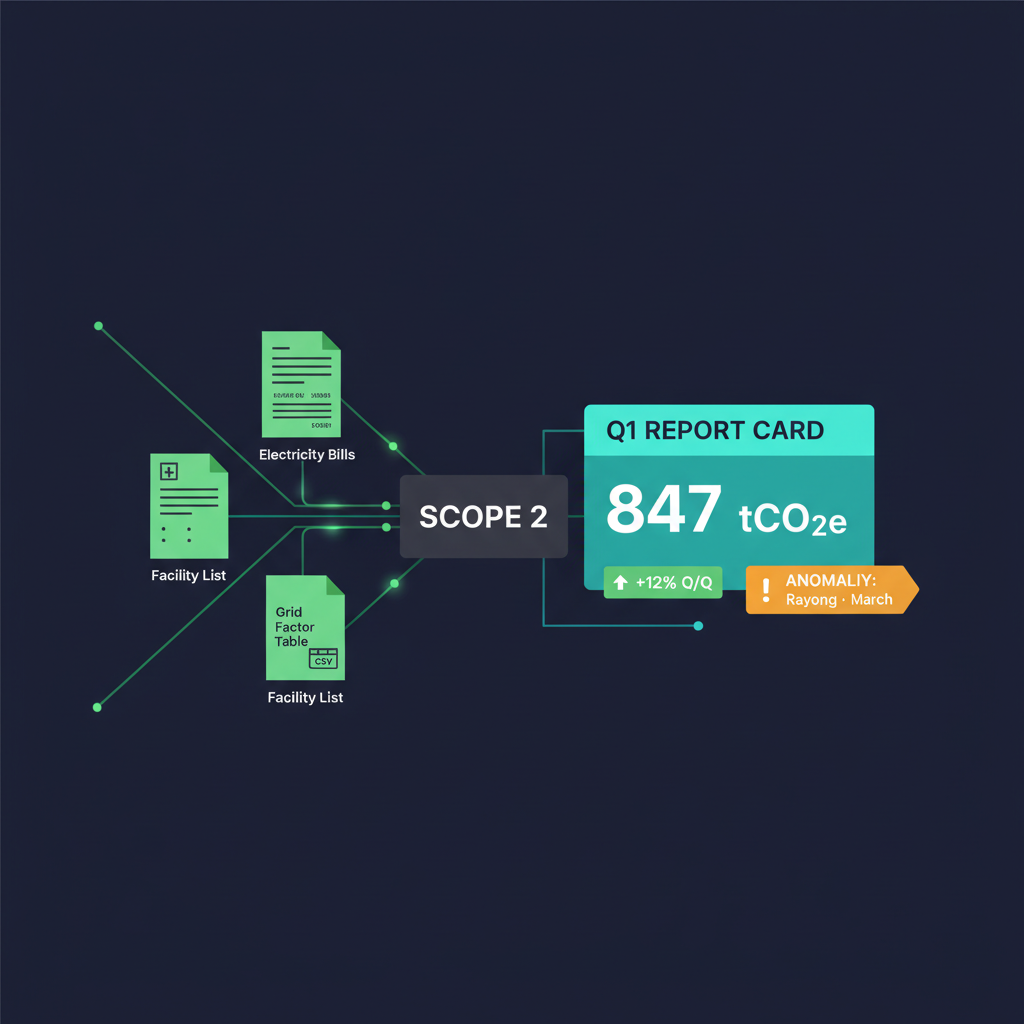
The scenario
At quarter-end, the sustainability team must calculate Scope 2
emissions (purchased electricity) for every facility and draft
the corresponding section of the board report. The manual
workflow: download each bill, extract kWh, apply the correct
grid emission factor, aggregate by facility, then write the
narrative — typically 15+ hours per quarter.
24 utility bills (4 facilities × 6 months · Q4 2025 + Q1 2026) ·
4 facilities across TH and VN · grid factors sourced from TGO
and IEA · one anomaly is included for the AI to detect
BPMN — multi-source ESG calculation
Bills in
Match facility
Lookup grid factor
Calculate CO2e
∑
Detect anomaly
Report + narrative
3 sources · 4 steps · 2 output formats (numerical CSV +
narrative for the board)
Run the demo — the prompt
Prompts in English for output precision
Prompt
You are our sustainability analyst. Produce a Q1 2026 Scope 2 emissions
report from the three CSVs in sample_data/.

For each utility bill:
1) Join to 04_facility_master.csv on facility_id to get region.
2) Look up the correct grid factor in 04_grid_factors.csv by region AND
   year (use the year of billing_period_end).
3) Compute kgCO2e = kwh_consumed * kgco2e_per_kwh. Convert to tCO2e.

Then aggregate:
- Q1 2026 total tCO2e (Jan + Feb + Mar 2026)
- By facility for Q1 2026
- Q1 2026 vs Q4 2025 change (% and absolute tCO2e)
- Intensity: tCO2e per headcount and per sqm, by facility
- Flag any month where a facility's kWh deviated 20% from its 3-month
  trailing average — these may indicate equipment failure or data error

Output two artefacts:
A) Decision table (CSV): facility | period | tCO2e | vs prior | flag
B) Narrative for board report (~250 words, neutral tone): headline number,
   drivers of change, anomalies investigated, recommended next steps.

Cite the grid factor source for each region used.
What participants should observe
Cross-file joins
Claude joins three files automatically using the keys provided —
no SQL or Python required.
Calculation against an authoritative reference
Applying the correct grid factor by region and year is the first
thing an auditor checks — Claude cites the source on every
figure.
Anomaly detection
The spike planted in the Rayong Factory data for March should be flagged. The prompt grounds detection in a concrete rule ("deviation > 20% from the 3-month trailing average") instead of relying on the model's intuition.
Two output formats from a single run
Numerical output for system ingestion plus a narrative for the
board — cleanly separated, not interleaved.
How this connects to the rest of the deck
Pattern
Same shape as Demo #2
Multi-source data plus a policy reference (here, the grid factor
table) plus a decision table — the same shape as the PR approval
workflow.
Harness
Uses 4 of the 6 components
Orchestration loop, tools (CSV reader), memory between steps,
context management — only state persistence and guardrails are
added when this runs monthly on a schedule.
Audit-ready
BPMN + run log = evidence
When the auditor asks "why is Q1 2026 this number?", the run log
contains every calculation step with source citation.
Key Takeaway
The
data layer (CSVs) is separate from the logic layer
(prompt) — edit a grid factor in the file and numbers update instantly,
prompt untouched. Same principle as the policy file in Demo #2;
only the data swaps.
Quick CheckWhy keep grid factors in a
separate file instead of baking them into the prompt?
Three reasons: (1) factors change yearly per
TGO/IEA — the sustainability team can edit the file themselves
without calling an engineer (2)
each region/year uses a different factor — a
table is far cleaner than nested if-else in a prompt (3)
auditors want "source per value" directly — a CSV
is more defensible than a prompt blob that mixes data and logic.
Future-proof playbook
What lasts, what changes — invest where it matters
Over the next three years, models will be replaced, frameworks will
emerge and disappear, and prices will fall. Some elements, however,
will remain in place. The principle of sustainable scaling is
straightforward:
invest deeply in what is durable, and stay loose on what is not.
DurableInvest heavily · 5-10 year horizon
Elements that endure
Tools change; these remain relevant.
Process maps (BPMN)ISO standard since 2013 — in real-world use for 20+
years
Data schemas & lineageYour data will outlive every AI tool you adopt
Compliance & audit practicesRegulations don't change because the model did
Eval disciplineMeasuring quality is engineering — tool-independent
Human-in-loop policyYour risk model stays even as models get smarter
Skill abstractions"Team knows how to do X" — not "team knows tool Y"
Harness components (the 6)Distributed-systems patterns — predate AI, will outlive
it
ESG metric definitions & data lineageYour emission and supply-chain data outlives every ESG
framework version
DisposableStay loose · 6-18 month half-life
Elements that change
Use them; do not anchor to them.
Specific model versionsOpus → Sonnet → whatever's in 2027 — new version every 6
months
Specific frameworksLangGraph, CrewAI, Strands — Wright's law applies to
tooling
Model-tuned promptsExpect to refactor with every model upgrade
Pricing structuresTrending down (Devin: $500 → $20/mo in one year)
UI conventionschat → agent → ? — don't hardcode flow to any UI
Vendor-specific connectorsUse MCP standard instead — vendor SDKs churn yearly
Specific benchmark numbers"87% benchmark" shifts when new model drops — don't put it
in contracts
Specific ESG framework versionsGRI 2021 → 2025 · ISSB transition · SET rating revisions —
keep data structured and re-format to whichever framework
prevails
The future-proof rule
"If a piece of work is documented for retention, it should outlive
at least three model upgrades. If it will not, do
not document it, do not train on it, and do not onboard new hires
against it."
Framework tables · benchmark figures · specific model names ·
current prices — review for context, not for retention
Action
For next week
When selecting a vendor, ask: "if we replaced this vendor
tomorrow, what would we lose?" The correct answer: only
disposable elements
From durability to defensibility — the 3 moats of an AI product
Durable vs Disposable answers "where to invest" — but an equally important question is "can competitors replicate this?" · Chip Huyen (AI Engineering, 2025) reduces competitive advantage in the foundation-model era to three types only — and two of them don't belong to SMEs.
Moat 1 · Used to matter · Now doesn't
Technology
Once: whoever trained the best model won · Today: the best foundation models are available to everyone via API · technology has become a commodity — virtually every team gets to use the same Claude / GPT / Gemini.
Warning: if your strategy is "we use Claude" — that's not a moat.
Moat 2 · Belongs to the giants
Distribution
The ability to put a product in front of many users · belongs to Google, Microsoft, Apple, Meta — companies already inside users' devices, browsers, and OSes · SMEs can't out-distribute these giants head-on.
Stress test: "Could this product become a feature inside Google Docs within 12 months?"
Moat 3 · SMEs can win here
Data + Workflow in your hands
Internal company data + industry-specific workflow + customer relationships · this is the moat SMEs can actually build — the giants don't have your customers' data and don't understand your industry's specific workflow.
Action: capture clean data from Demo #1 onwards — usage logs, feedback, error cases — that's your data flywheel.
The stress test every team must answer before they build
"If Google / Microsoft / Apple assigned three engineers to it for two weeks, could they replicate this product?" · If the answer is "yes" — your real moat lives outside the product itself · it must live in (a) data you can accumulate faster than anyone else, (b) workflow understanding the giants don't have time to care about, or (c) customer relationships that are hard to replicate.
Key Takeaway
Invest heavily in process / skill / data /
compliance (durable) and stay loose on model
version / framework / vendor SDK (disposable) · at the business level, the moat SMEs can actually build is data + workflow + customer relationships, not "we use AI" · The test question:
"If I switched vendors tomorrow, what would the org actually
lose?"
Quick CheckA prompt tuned to a
specific model — durable or disposable? How should you store it
safely?
Disposable — that prompt will need refactoring
every time you upgrade the model. Store it: in a skill repo,
tagged with the model version,
alongside an eval set. When you move models, run
the eval to verify behaviour. The durable artefact isn't the
prompt — it's the eval set. That's the asset that
survives model upgrades.
Beginning Now
Starter Pack — this week's actions
Five concrete steps. Each requires no more than 90 minutes.
Completed together, they position your organisation at Stage 2 by
Friday.
Before Step 1 — get clear on why
Chip Huyen (AI Engineering, 2025) reduces "why build this?" to three legitimate reasons · before picking a process in Step 1, name which one applies — so urgency, budget, and failure tolerance line up with the real motivation.
Reason 1 · Most urgent
If we don't, AI-enabled competitors will make us obsolete
AI poses an existential threat to the business · most visible in document processing, financial analysis, insurance, advertising · the cautionary tales: Kodak, Blockbuster, BlackBerry — companies that responded too late.
7% of executives in Gartner 2023 fall here · invest fully · highest priority
Reason 2 · Most common
If we don't, we'll miss productivity and profit upside
AI lowers cost · expands margin · makes user acquisition cheaper · increases customer retention · spans sales lead gen, internal communication, market research, and competitor tracking.
Most SMEs sit here · medium investment · clear ROI
Reason 3 · Future-hedge
We're not sure where AI will fit yet — but don't want to be left behind
Chasing every hype train is bad — but many companies died from waiting too long · if you can afford it, investing to understand how AI will impact your business is the right call.
Fits R&D budget · low investment · high tolerance for failure
Warning: if you can't name which bucket your project lives in — don't start it yet · the cost is bloated budgets, slipped timelines, and exhausted teams hitting the Last Mile (see FAQ — Last Mile trap).
Select ONE process
Choose a recurring task performed at least weekly that involves
moving data between locations. Record its name on a sticky note.
Limit your selection to one.
Draw it in 5 BPMN boxes
Event → Task → Gateway → Task → Event. Whiteboard, paper, or
Figma — the tool is irrelevant. The act of drawing is the
substance of the work.
Connect ONE data source
Install one MCP connector (Drive, Sheets, or your ERP — wherever
the data resides). Verify that Claude can read it.
Run 5 iterations in shadow mode
Have Claude perform the task in parallel with the responsible
person and compare the results. This serves as your evaluation —
informal in form, but operationally valid.
Save as a Skill
Once the 5-run comparison reaches acceptable quality, package
the prompt as a skill and place it on a schedule, or expose it
as a single-command trigger for the team.
Deliverables to take away today
This deck
Reopen it as a reference whenever a new colleague is onboarded.
Sample data set
8 files in sample_data/ — replay the demos
independently.
One BPMN sketch
Of your first process. Bring it to the next session for
review.
The horizon — beyond Starter Pack
Once the 5 Starter Pack steps are done and you've stabilised 3–5
automated processes (typically 60–90 days in), four expansion
directions open up.
From Stage 3
Claude Projects
Context that persists across conversations · upload your skill repo + reference docs once, reuse every session · ideal for onboarding company knowledge into Claude.
Stage 3–4
Claude Agent SDK
Custom harness from 20-50 lines up · the standard path from scripted skill → mini-app → service when a workflow grows bigger than a single prompt.
Stage 4+
Computer Use
Claude controls a browser directly — automation across apps that have no API (legacy dashboards, vendor portals) · turns "can't be done" into "can be done, with oversight."
Required at Stage 4
Eval set + observability
When a workflow has an SLA or a regulator will inspect it — a 20-50 question eval set that runs on every deploy, plus run logs + alerts · this is the "durable" layer that survives model upgrades.
You don't need to plan all four now. Just pick the first process in your Starter Pack. When you actually hit a blocker, pick the one direction that addresses the symptom — the "add by symptom" rule from AI Harness.
Bonus: your first eval set in 30 minutes
This deck has repeated that eval is the durable asset, not the prompt — here's the actual how-to
for your first process.
Do it alongside Step 4 of the Starter Pack (shadow mode).
Pick one metric — not many
Example: "% of priority labels matching ground truth." Pick a metric the business owner will sign off on, not a technical one · one metric done well beats five done half-way.
Collect 10 cases from history
Grab 10 real cases from past work (e.g., 10 feedback messages a person has already categorised) · record input + expected output together · 10 is enough — you don't need 100 · save as CSV or markdown table.
Run the prompt across all 10 cases once
Through Claude or your skill · save the output for each case alongside the expected · use the exact prompt you intend to deploy · do not tweak the prompt yet.
Count accuracy by hand
Tally how many outputs match expected (5 minutes by hand is fine) · Target ≥ 80% for the first eval · if below, refine the prompt and re-run · if above, deploy.
Store in your skill repo · re-run every deploy
Place the eval set alongside the prompt in your skill repo · every time you (a) tweak the prompt or (b) change the model, re-run · accuracy drops → don't deploy · this is the safety net that survives model upgrades
Why the eval outlives the prompt
When Opus 5 ships next year, your prompt will need refactoring —
the new model behaves slightly differently. But your eval set is still valid. Run it through the
new model before deploying. Still ≥ 80%? Safe. Drops? You know
before deploy that the prompt needs work. See Durable vs Disposable for the broader pattern.
Key Takeaway
Pick one process, run all five steps, then start the next
one.
Automating three at once = breaking three at once. In the first
six months, sequence wins over parallelism.
Quick CheckWhich of the five Starter
Pack steps do most SMEs skip — and what do they lose?
Step 4 (5 shadow-mode runs). Most teams rush
straight to deploy. But shadow mode is your
entry-level eval — skip it and (1) you have no
baseline (2) when Claude eventually makes a mistake, you've got no
comparison data (3) you have no ROI metric to take to the board.
You lose team trust AND the
number you need for the CFO — the two things you
can't scale without.
Frequently asked
FAQ
The questions every room asks. Concise answers, with extended
discussion welcomed.
Is our data secure, and does Claude train on it?
By default, prompts and files in business products are not used for training. For sensitive workflows,
organisations can additionally route through a
privately-deployed endpoint with their own logging and retention
rules. In practice: this is safer than emailing the same data to
an analyst, provided logging and RBAC are enabled from
Stage 3 onwards.
What is the actual cost for an SME?
For a 10-person team: typically one or two seats for daily skill
execution, plus the API cost of scheduled mini-apps. Most SMEs
fall in the low-hundreds USD per month range and recover the
cost on the first automated process.
What if Claude hallucinates inside a workflow?
Three defences, in order: (1) ground every step in a real file
or API — never rely on the model's memory alone; (2) add a
verification sub-agent that checks output against the source;
(3) keep a human in the loop for irreversible actions
(financial, contractual, deletion).
Where should the data Claude reads be hosted?
Stage 2: existing spreadsheets or Drive. Stage 3: existing ERP
or CRM via MCP connectors — Claude reads at source, with no copy
required. Stage 4+: a data warehouse with lineage. The
principle: data is not moved to the AI; rather, the AI reaches
into the data at its existing location.
How do we avoid vendor lock-in?
Maintain clear separation across three layers: (a)
processes in BPMN — vendor-neutral; (b) skills and prompts in markdown — portable; (c)
connectors via the open MCP protocol —
substitutable. Only the model itself becomes difficult to swap.
Is a data team or engineer required to begin?
Not for Stages 1–2. From Stage 3 onwards, at least one person
should own connectors, evaluations, and rollouts. Most SMEs make
this their first AI-platform hire once they have approximately 3
mini-apps in production use.
How do we measure ROI?
(1) Business metric — the number your board understands: define one metric per process before beginning — hours saved, errors caught, cycle time reduced, or revenue protected · capture the baseline during the shadow-mode week (Starter Pack step 4) · at 90 days you'll have a credible chart for the board. (2) Technical metrics — what your CTO needs: per Chip Huyen (AI Engineering, 2025), track these four groups alongside the business metric — (a) Quality (e.g. % accuracy vs ground truth from an eval set), (b) Latency — TTFT (time-to-first-token), TPOT (time-per-output-token), total latency, (c) Cost per inference (USD per run), (d) Other such as interpretability and fairness — critical when a regulator will inspect the system · The rule: business metrics prove ROI to the board · technical metrics are what let your CTO/Compliance team approve scaling to the next stage.
What about regulators and auditors?
BPMN, combined with Claude's run logs and the policy markdown,
constitutes a defensible evidence package. Engage with your
auditor early — most are already familiar with AI-in-the-loop
processes and have a checklist prepared.
What is the single most common mistake SMEs make?
Attempting to automate three processes simultaneously. Select
one, take it through all five Starter Pack steps, then proceed
to the next. For the first six months, sequential delivery
outperforms parallel attempts.
Why doesn't the fun day-one demo become a real product within a month? — the "Last Mile" trap
This is the single most common trap for teams new to foundation models · the base capability is strong enough to build an impressive demo in hours — but the distance from demo to a product running inside the organisation is much longer than it looks · The rule mature AI engineering teams live by: "0 to 60 is easy; 60 to 100 is brutally hard" (UltraChat, Ding et al., 2023) · Real case study: the LinkedIn team (2024) reached 80% of the experience they wanted in the first month — and then spent four more months chasing hallucinations, edge cases, and product kinks to push past 95% · Practical advice: when you show the day-one demo to a board or a customer, frame it as "this is 60% — the remaining 40% will take longer than everything we've done so far." Setting expectations early eases the pressure throughout the rest of the build.
What is an "agent harness" and do SMEs require one?
A harness is the scaffolding layer around a model (orchestration
loop, tools, memory, context management, state, guardrails) that
converts it into an agent.
Every organisation already has one the moment
Claude is run with tool use — the question is one of scale.
Stages 1-2: a stock harness such as Claude Agent SDK is
sufficient. Stage 3+: custom components warrant consideration.
Anthropic's guidance: begin at 2-4 hours and 20-50 lines, then
add components
by symptom, not by checklist. See the
dedicated AI Harness slide.
How do we avoid building work that is obsolete within a year?
Three principles: (1)
draw the BPMN before writing the prompt —
processes change little even when tools change; (2)
maintain clean layer separation: process /
skill / connector / model — replace lower layers without
disturbing upper ones; (3)
invest in team capability, not vendor tooling —
"the team knows how to automate processes" is an asset; "the
team is proficient in Tool X" is recurring rent. See
Durable vs Disposable for the full checklist.
ESG reporting looks overwhelming — where does AI actually
deliver value?
Highest-ROI AI applications for ESG, in order: (1)
data extraction from disparate sources — Scope
2 from utility bills, 1,000+ supplier attestations — collapsing
weeks to hours; (2)
narrative drafting from
structured data — sustainability teams spend most of their time
writing, not analysing; (3)
continuous compliance monitoring instead of
quarterly audits; (4)
board-report synthesis from multiple sources.
Recommended starting point: item (1) on Scope 2, then expand to
social and governance. See the
ESG slide for details.
How does using AI itself affect our ESG profile?
Three dimensions to manage: (E) energy footprint — match model size to task;
Opus is not required for every task. (S) bias and accessibility — particularly for
decisions affecting individuals (hiring, lending, promotion).
(G) AI governance — model cards, eval logs,
RBAC, audit trails — all map to the 6 components of
AI Harness — specifically guardrails and
observability.
End of workshop · next steps
Photograph your BPMN sketch and send it to your facilitator. The
team will check in within 14 days.